
Skip to content

Platform

Everything a project needs to be governed, on one record

Fourteen modules that share the same data: requirements, risks, issues, actions, stage gates, documents, assets and reports.

Overview

How the platform is put together

eQMO is a cloud application. There is nothing to install, and every capability is available to each module.

What would you like to know?

Pick a capability to see what it does and where it sits in the platform.

Platform architecture

Modules sit on one shared project record, so a criterion, risk or action entered in one place is available everywhere.

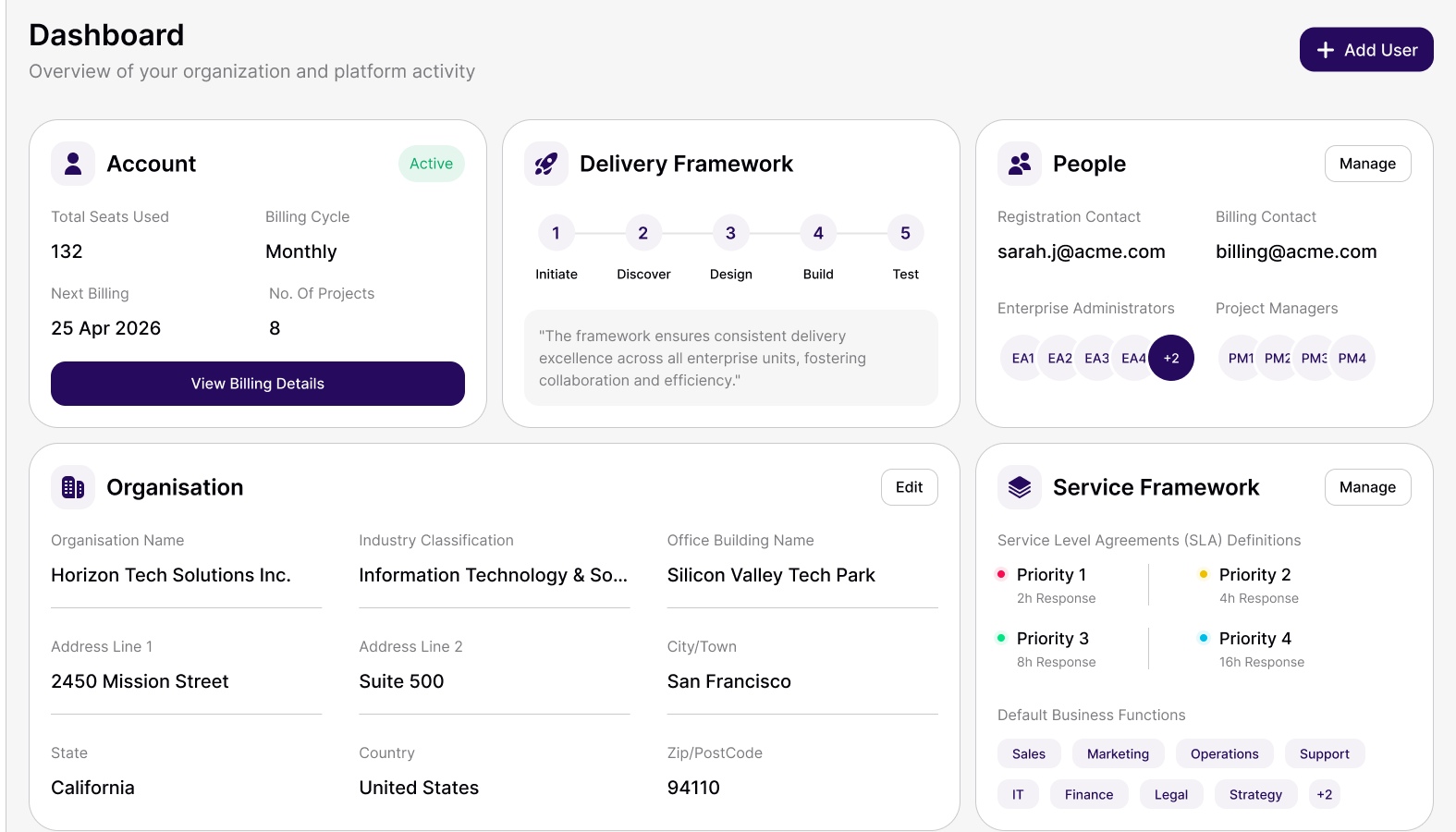
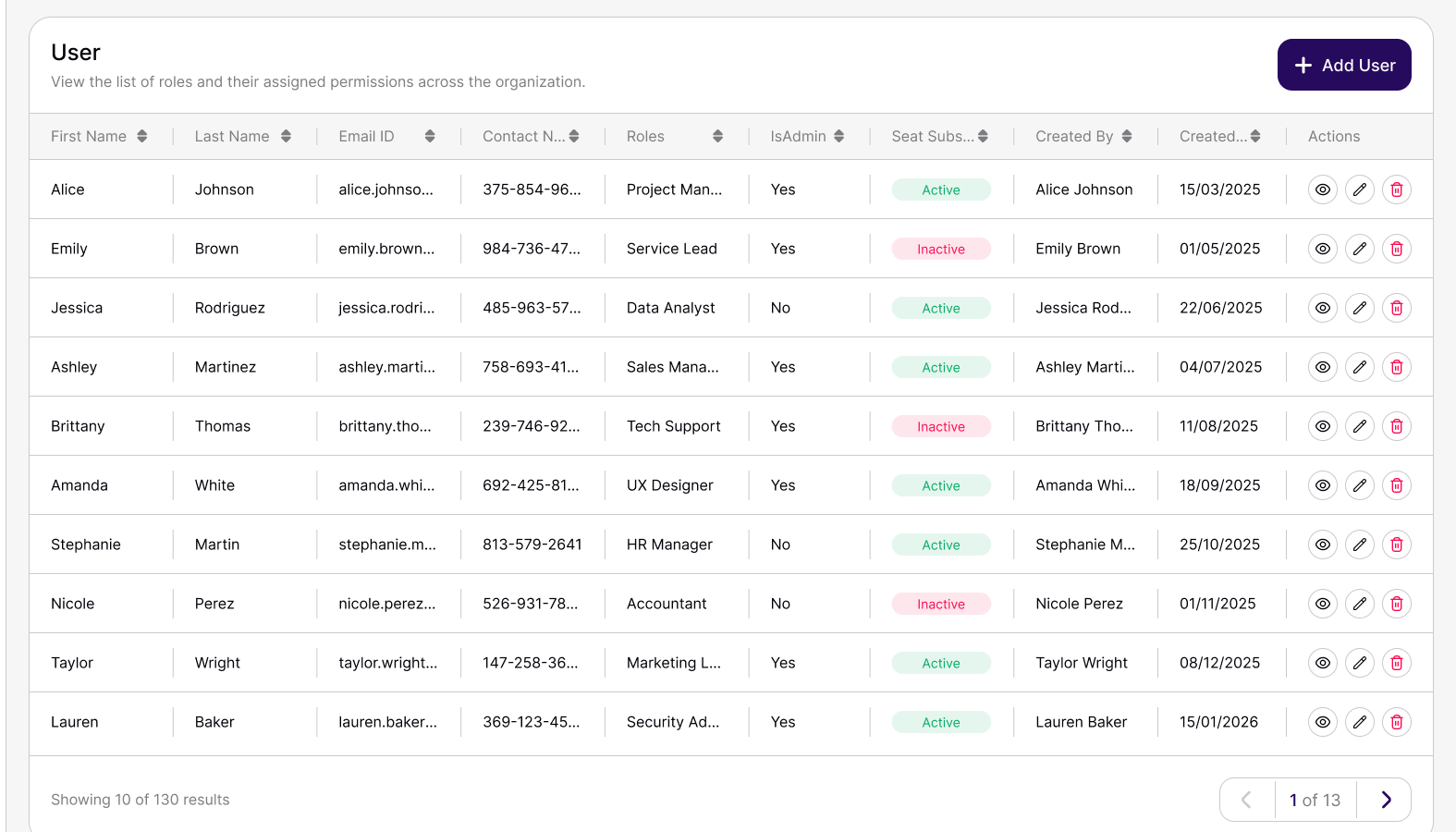
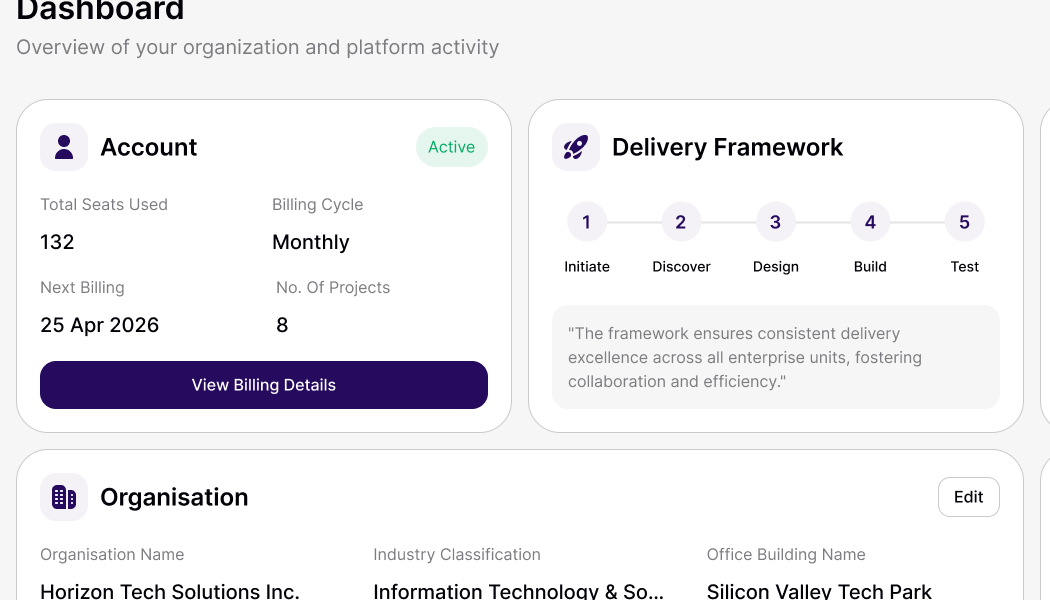
The eQMO admin dashboard, with account, delivery framework, people, organisation and service framework panels.

Capability 01 of 10

See the modules

Platform modules

Fourteen modules, one project record

Use the ones you need now and switch others on later. They all read and write the same data.

Every module is included in the 28-day free trial.

Plan

3 modules

Set up projects and programmes, and the requirements they have to meet.

  • Project and Programme Management

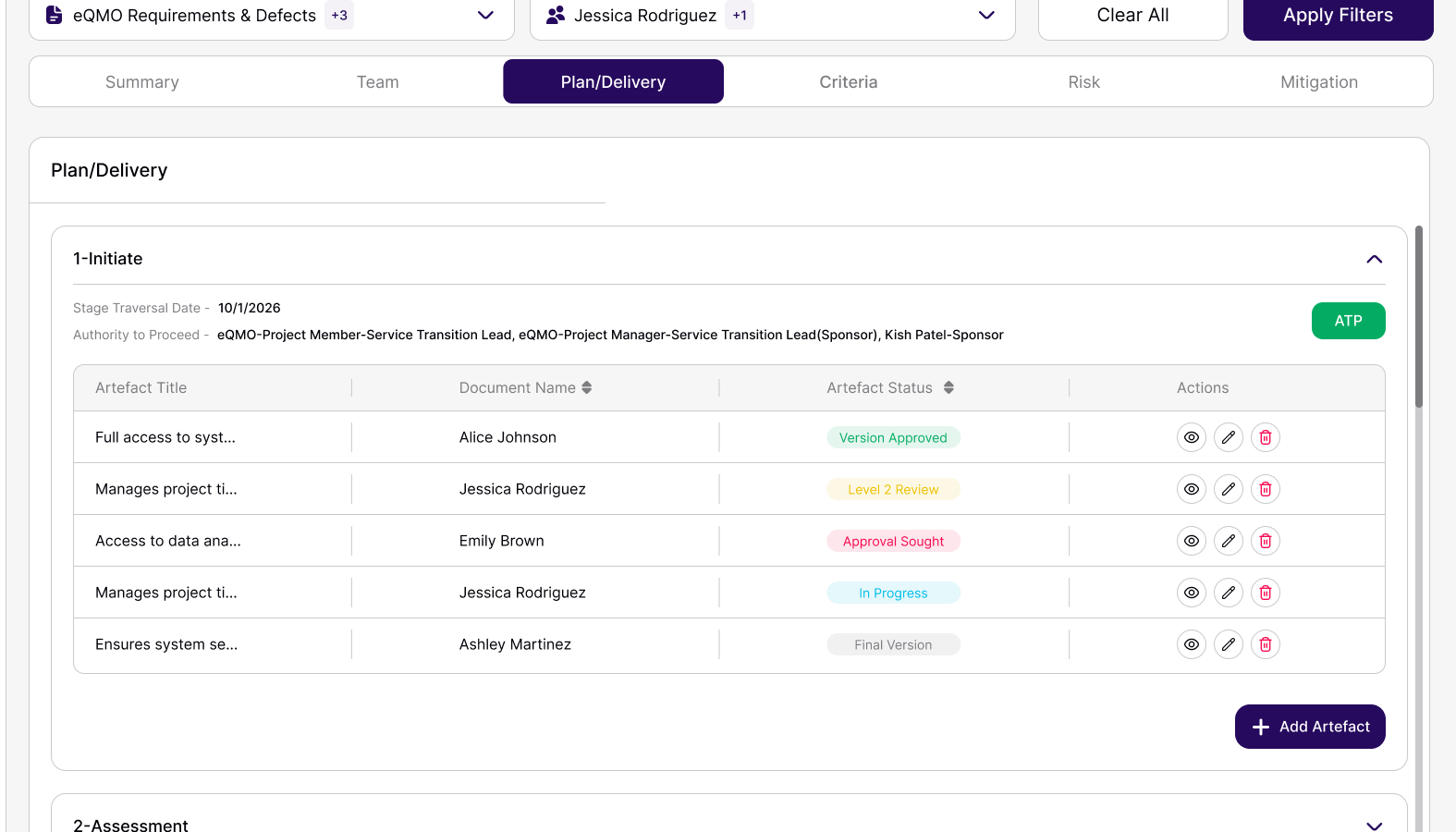
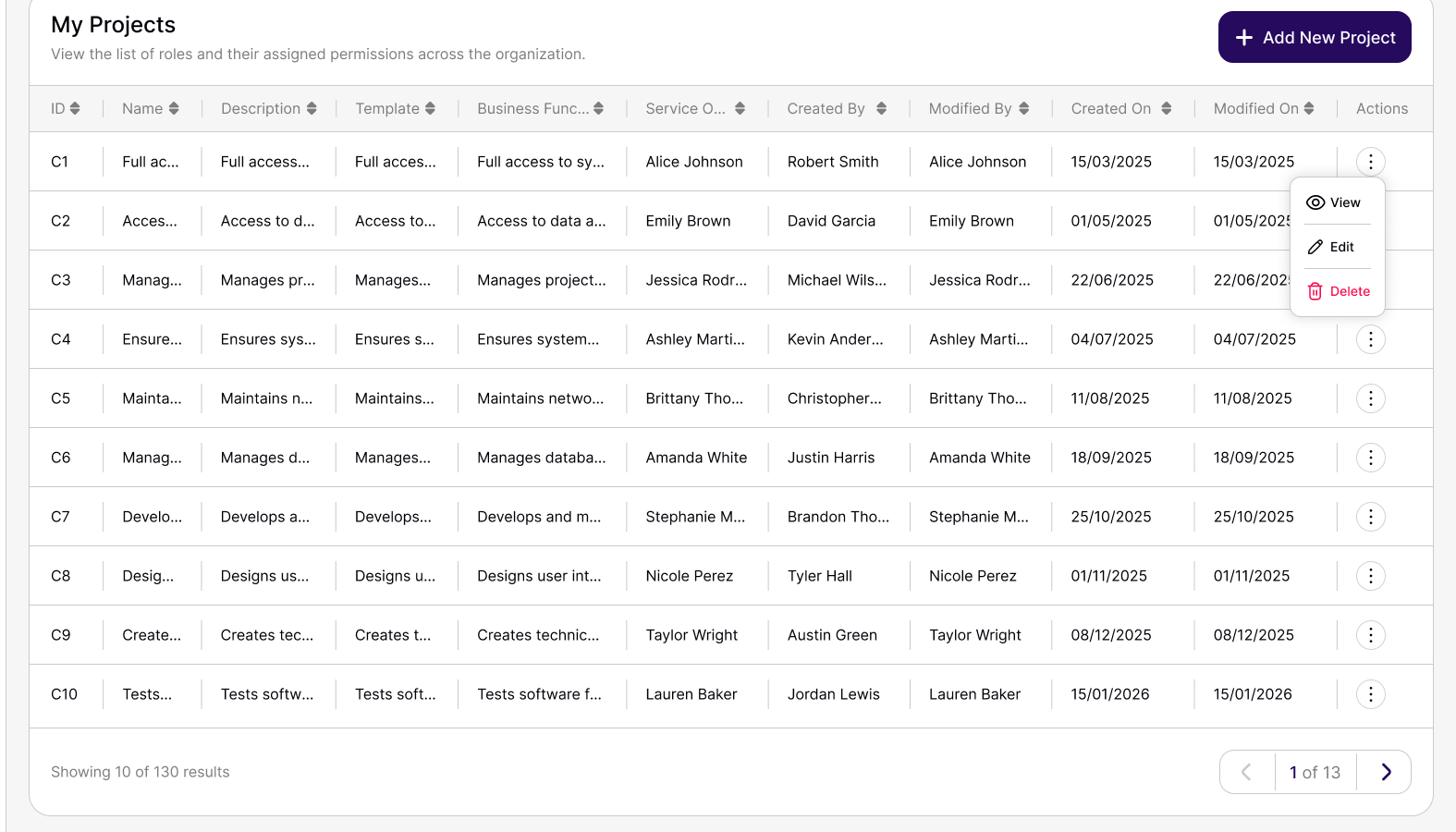
    Create projects in a three-step wizard, then follow many of them together in the Programme Dashboard.

    • Details, stage gates and templates, criteria mapping
    • Business function, service owner and team per project
    • Programme view filtered by project, user and stage gate
  • Requirements Management

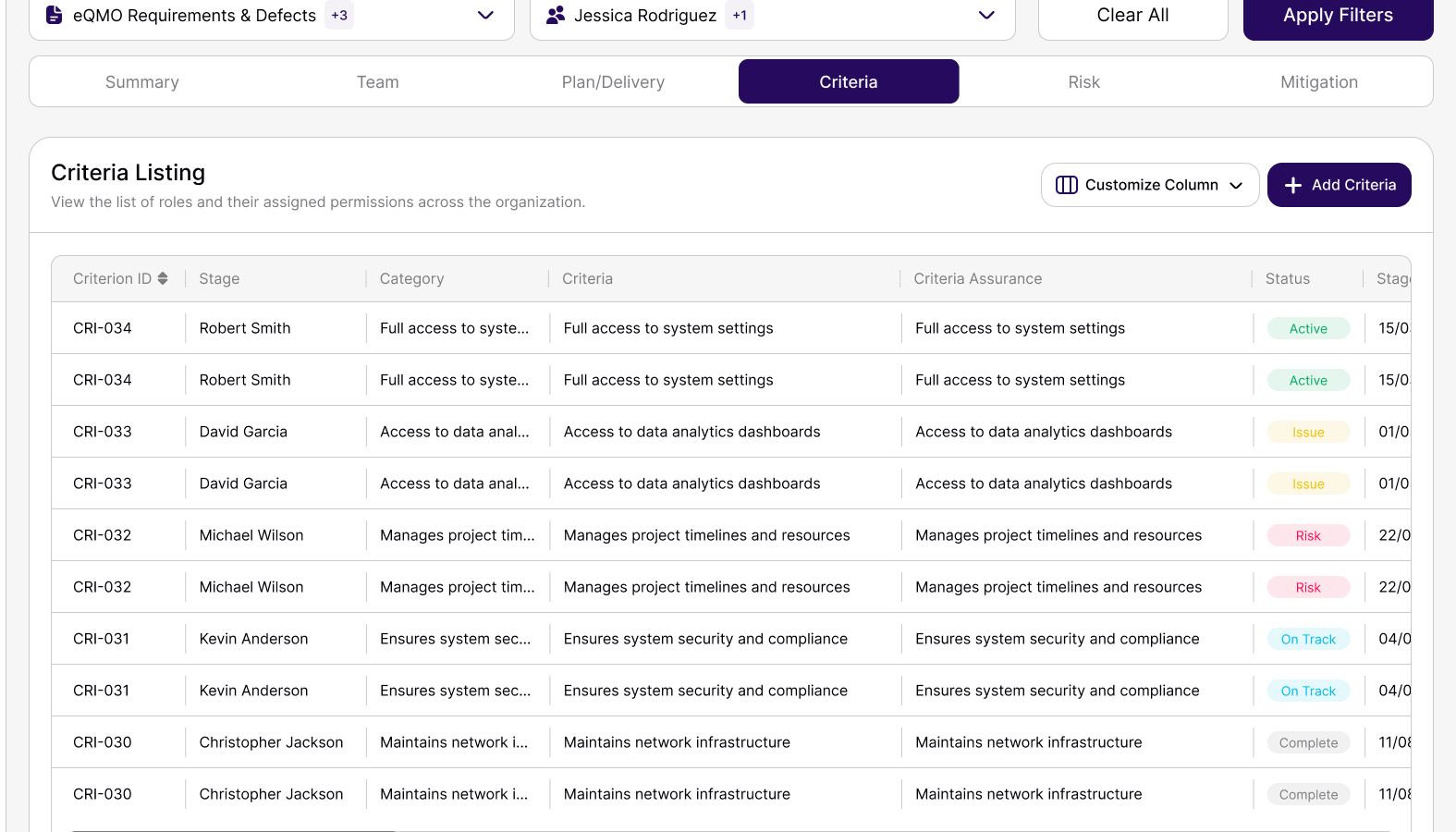
    Choose the criteria each project must meet from the master list your admin maintains.

    • Criteria with category and assurance type
    • Tracked by stage, status, owner and expected date
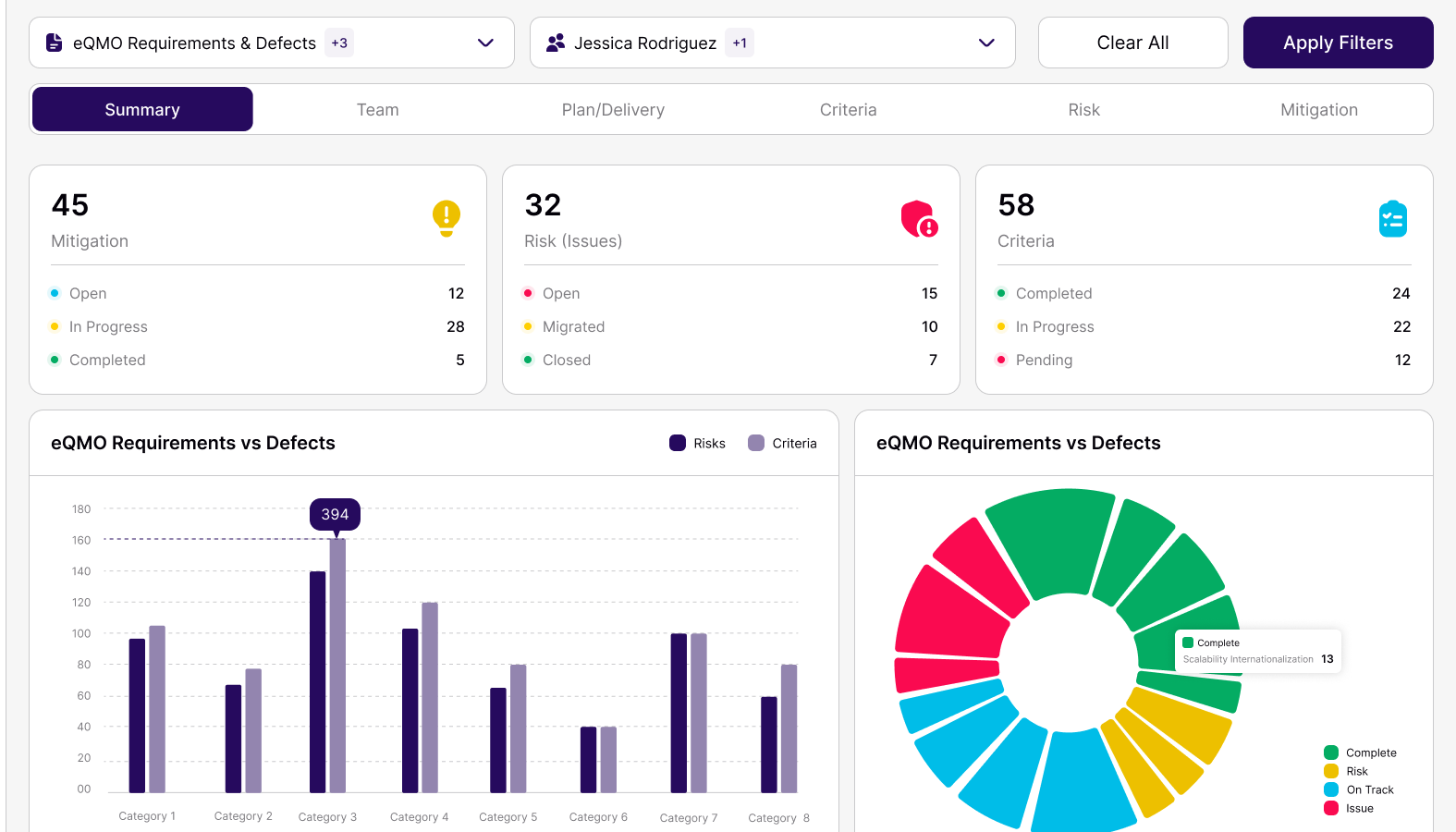
    • Requirements vs defects trend
  • Non-Functional Requirement Templates

    Start from a library of around 130 generic non-functional requirements and select the ones each project needs.

    • Around 130 generic NFRs
    • Selected per project
    • Consistent wording across projects

Control

4 modules

Keep risks, issues, stage gates and obligations under control.

  • Risk, Issue, and Action Management

    Raise risks and issues, then track the actions and mitigations that close them.

    • Owner, category, raised and closed dates
    • Actions with due dates and status
    • Mitigations linked to risks and actions
  • Requirement–Risk/Issue–Action Triangulation

    Every criterion is mapped to the risks that threaten it and the actions that address them.

    • Criteria and risks mapped when a project is created
    • Linked risk and action shown on every criterion
    • Each record shows what it is linked to
  • ATP / Stage-Gate Management

    Take each project through the stage gates your admin defines, with an ATP at each gate.

    • Stage gates configured once for the organisation
    • Stage documents and PDF evidence per gate
    • ATP alerts to the people involved
  • Compliance Management

    Keep stage documents and evidence with the gate they belong to, so an audit starts from a complete record.

    • Evidence held per stage gate
    • Approval trail for each gate
    • Records an auditor can follow

Deliver

5 modules

Run the day-to-day work: tasks, alerts, documents and assets.

  • My Day Calendar

    Everything assigned to you across projects, sorted into Overdue, To do, Do later and Update pending.

    • Table and calendar views
    • Filter by project and user
    • Due and target dates marked on the calendar
  • Alerts and Notifications

    Hear about it when a risk, mitigation or criterion is added, a due date is near or an ATP is raised.

    • Bell icon and pop-up notifications
    • Alert list showing who raised it and why
    • Newest alerts first
  • Task Management

    Follow actions and criteria-related tasks with an owner, a due date and a status.

    • Owners and due dates
    • Status tracking
    • Linked to risks and criteria
  • Document Co-Authoring and Templates

    Write project documents together in the browser, starting from the Service Definition Template.

    • Real-time co-editing within a project
    • Version history and comments
    • Template fields saved as structured data
  • Asset Tracking

    Keep a register of the assets each project depends on.

    • Asset register
    • Ownership and location
    • Linked to projects

Insight

2 modules

See where every project stands and report on it from live data.

  • Dashboard and KPI Monitoring

    Project Overview shows one project at a glance: KPI cards, stage-gate and category charts, and status summaries, filtered by user.

    • KPI cards for actions, risks and criteria
    • Stage-gate bar chart and category pie chart
    • Click a chart to open the records behind it
  • Reports and Analytics

    Programme-level and project-level views of the same live data, ready for steering meetings.

    • Programme vs project dashboards
    • Filters for stage gate, status, category and dates
    • Project closure summary PDF

Value stories

Nine everyday tasks, before and after eQMO

Each story has a short video and sets out how the task is done today, what eQMO does instead and the result to expect.

Watch the videos
  1. Value story 1 of 9

    • Project and Programme Management
    • Alerts and Notifications

    Project creation, assignment, and user invitations

    Before

    New projects start with a week of emails to agree who owns what.

    Spreadsheets for the plan, email threads for access, a shared drive for documents.

    With eQMO

    Create the project in a three-step wizard: details and team, stage gates and templates, then criteria mapping.

    Result: A governed project with named owners on day one.

  2. Value story 2 of 9

    • Non-Functional Requirement Templates
    • Requirements Management

    NFR selection and requirement concatenation

    Before

    Non-functional requirements are rewritten for every project and drift apart.

    Copying paragraphs from the last project’s document.

    With eQMO

    Select from around 130 generic NFRs and combine them into the project’s requirement set.

    Result: Consistent requirements in minutes instead of days.

  3. Value story 3 of 9

    • Requirement–Risk/Issue–Action Triangulation

    Requirement, risk, issue, and action linking

    Before

    Nobody can say which requirement a risk threatens or which action closes it.

    Separate registers that are reconciled by hand before each review.

    With eQMO

    Map each criterion to its risks when the project is created; every record then shows its linked risk and action.

    Result: Every risk has an owner, an action and a reason to exist.

  4. Value story 4 of 9

    • My Day Calendar
    • Alerts and Notifications

    My Day calendar and configurable alerts

    Before

    People find out about an overdue action in the steering meeting.

    Personal to-do lists and calendar reminders set by hand.

    With eQMO

    My Day sorts your work into Overdue, To do, Do later and Update pending; alerts arrive in the bell and as pop-ups.

    Result: Fewer overdue actions and no surprises at review.

  5. Value story 5 of 9

    • ATP / Stage-Gate Management

    ATP request, response, and approval workflow

    Before

    Stage-gate approvals happen over email and the evidence is hard to find later.

    A request document, a meeting, and a reply buried in an inbox.

    With eQMO

    Raise the ATP from the project; the people involved are alerted and the stage documents sit with the gate.

    Result: A clear approval trail for every gate.

  6. Value story 6 of 9

    • Reports and Analytics
    • Dashboard and KPI Monitoring

    Programme vs Project reporting

    Before

    Programme reports are stitched together from project reports each month.

    Exports, pivot tables and slides.

    With eQMO

    Use Project Overview for one project and the Programme Dashboard across many, from the same live data.

    Result: Reports that are ready when the meeting starts.

  7. Value story 7 of 9

    • Reports and Analytics

    Project closure summary PDF

    Before

    Closing a project means assembling its history from several systems.

    A closure report written from scratch.

    With eQMO

    Generate a closure summary PDF from the project record.

    Result: A consistent closure record for every project.

  8. Value story 8 of 9

    • Document Co-Authoring and Templates

    In-app document co-authoring

    Before

    Project documents live in attachments with names like “final_v7”.

    Emailing documents around for comments.

    With eQMO

    Co-author the Service Definition Template in the browser, with version history and comments.

    Result: One current version, with its history.

  9. Value story 9 of 9

    • Compliance Management
    • Reports and Analytics

    Improved audit readiness, productivity, reporting, and compliance

    Before

    Audit preparation takes people away from delivery for weeks.

    Collecting evidence after the fact.

    With eQMO

    Stage documents and evidence are kept with each gate as the work happens.

    Result: Audits start from a complete record.

FAQs

Questions about the platform

If yours is not here, ask us directly.

Do we need to install anything?

No. eQMO runs in the browser on desktop, tablet and phone. Your admin invites users by email.

Who can use eQMO?

Admins configure the organisation: roles, users, criteria, stage gates and templates. Project managers and team members work in projects. Business owners, service owners and delivery heads follow progress across projects in the Programme Dashboard.

What is a stage gate?

A checkpoint in your delivery framework, such as Initiate, Discover, Design, Build and Test. Your admin defines the gates and the documents and evidence each one needs; an ATP is raised at each gate.

What templates are included?

The Service Definition Template, co-authored in the browser with version history and comments. Admins can duplicate it and adjust the copy for their organisation.

Where do the requirements come from?

eQMO includes around 130 generic non-functional requirements, and your admin maintains a master list of criteria. Each project selects the ones it needs.

How are seats counted?

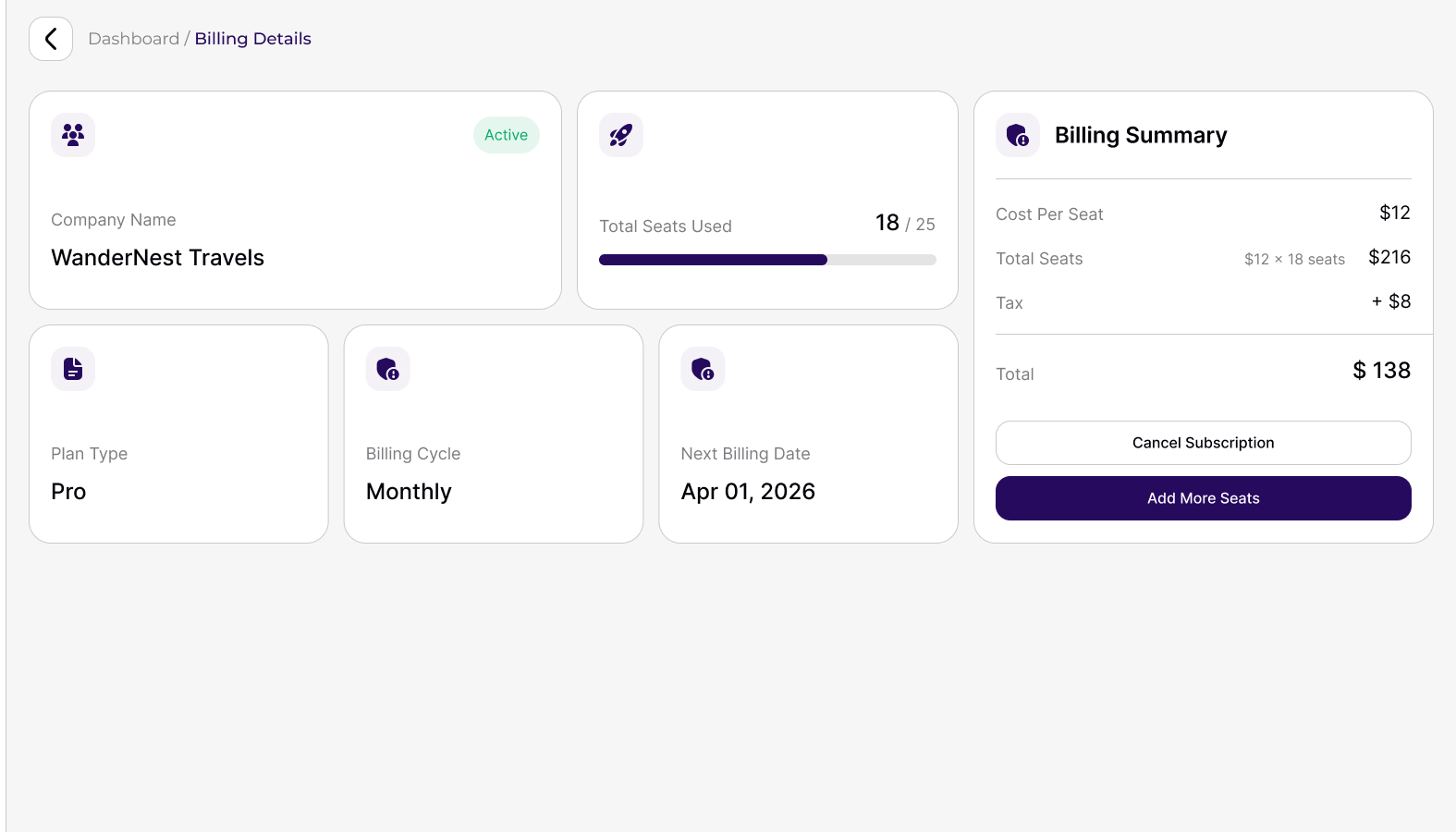
One seat per active user. A user without a seat stays on the user list but does not appear in projects and receives no emails.

Try the platform with your own project

The free trial includes every module, so you can see how they work together.