Everything a project needs to be governed, on one record
Fourteen modules that share the same data: requirements, risks, issues, actions, stage gates, documents, assets and reports.
Overview
How the platform is put together
eQMO is a cloud application. There is nothing to install, and every capability is available to each module.
What would you like to know?
Pick a capability to see what it does and where it sits in the platform.
Platform architecture
Modules sit on one shared project record, so a criterion, risk or action entered in one place is available everywhere.
Capability 01 of 10
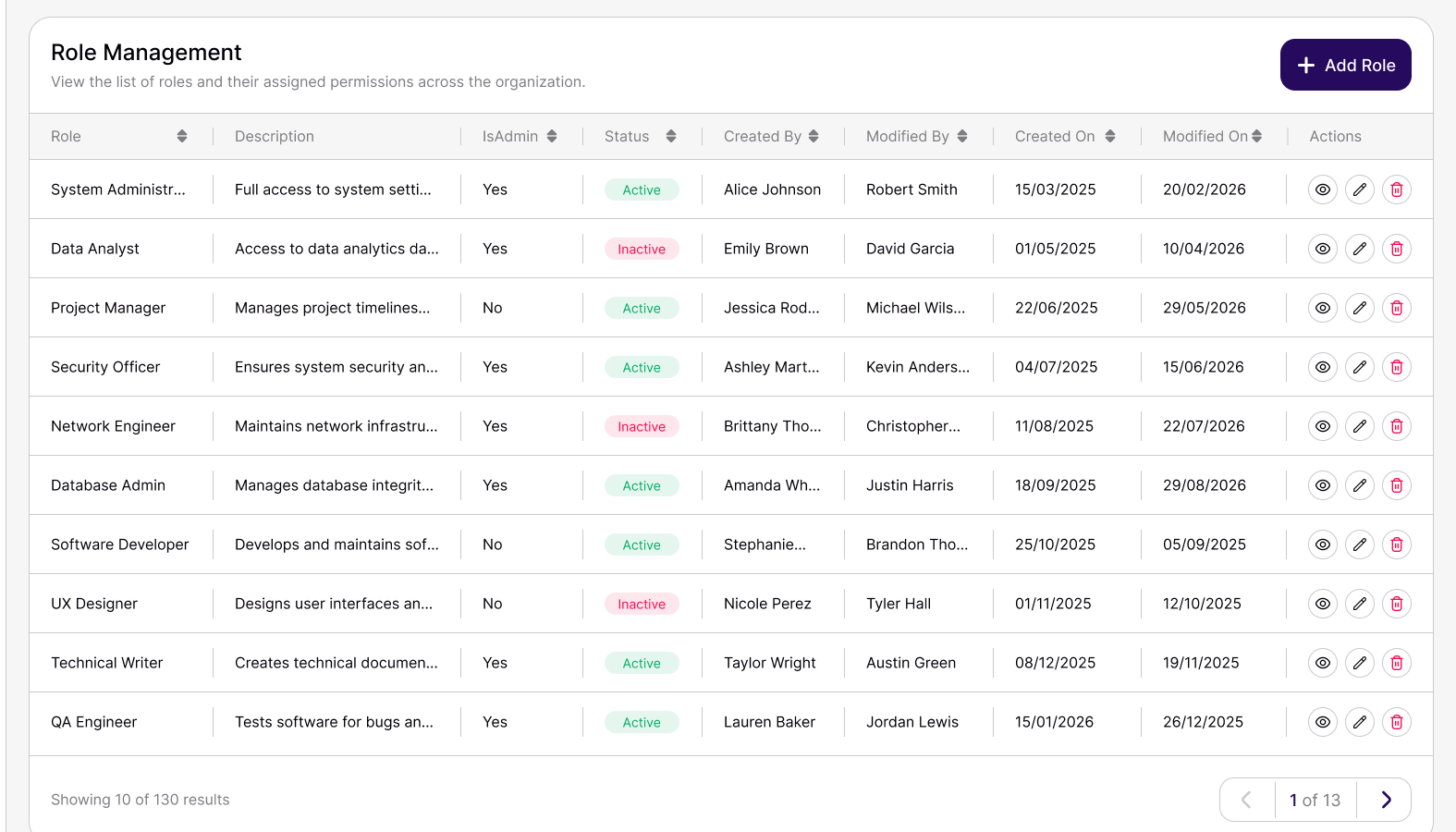
See the modulesRoles and role-based access
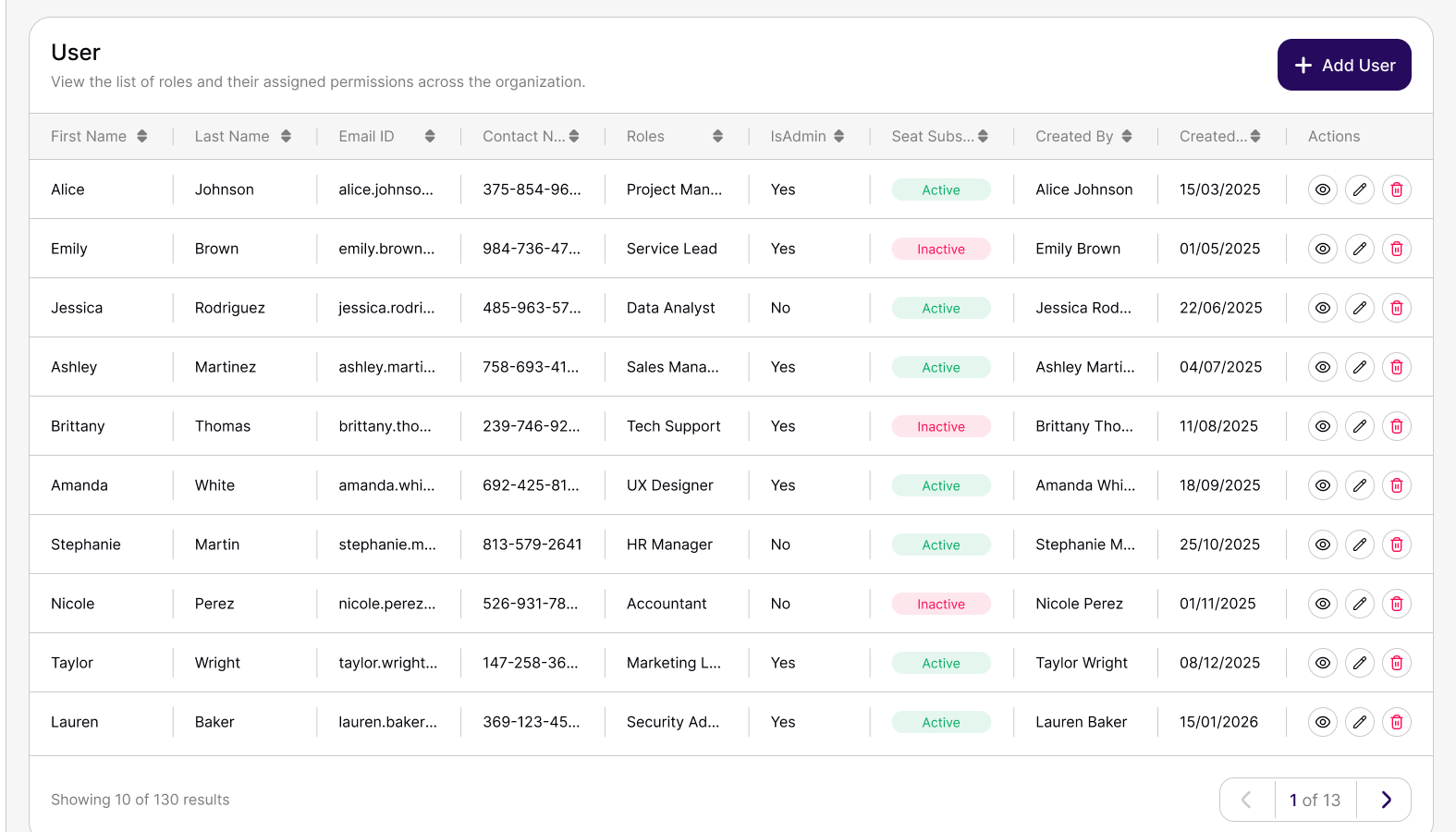
Admins, project managers, team members and owners each see and change only what their role allows.
Capability 02 of 10
See the modulesWorkflow and notifications
ATP requests, new risks, mitigations, criteria and due dates raise alerts in the bell and as pop-ups.
Capability 03 of 10
See the modulesCloud and scalability
A hosted platform for many organisations, licensed per seat, so it grows from one team to a full portfolio.
Capability 04 of 10
See the modulesSecurity and data access
Each organisation’s data is kept separate, and users only see the projects they belong to.
Capability 05 of 10
See the modulesReporting, analytics and KPIs
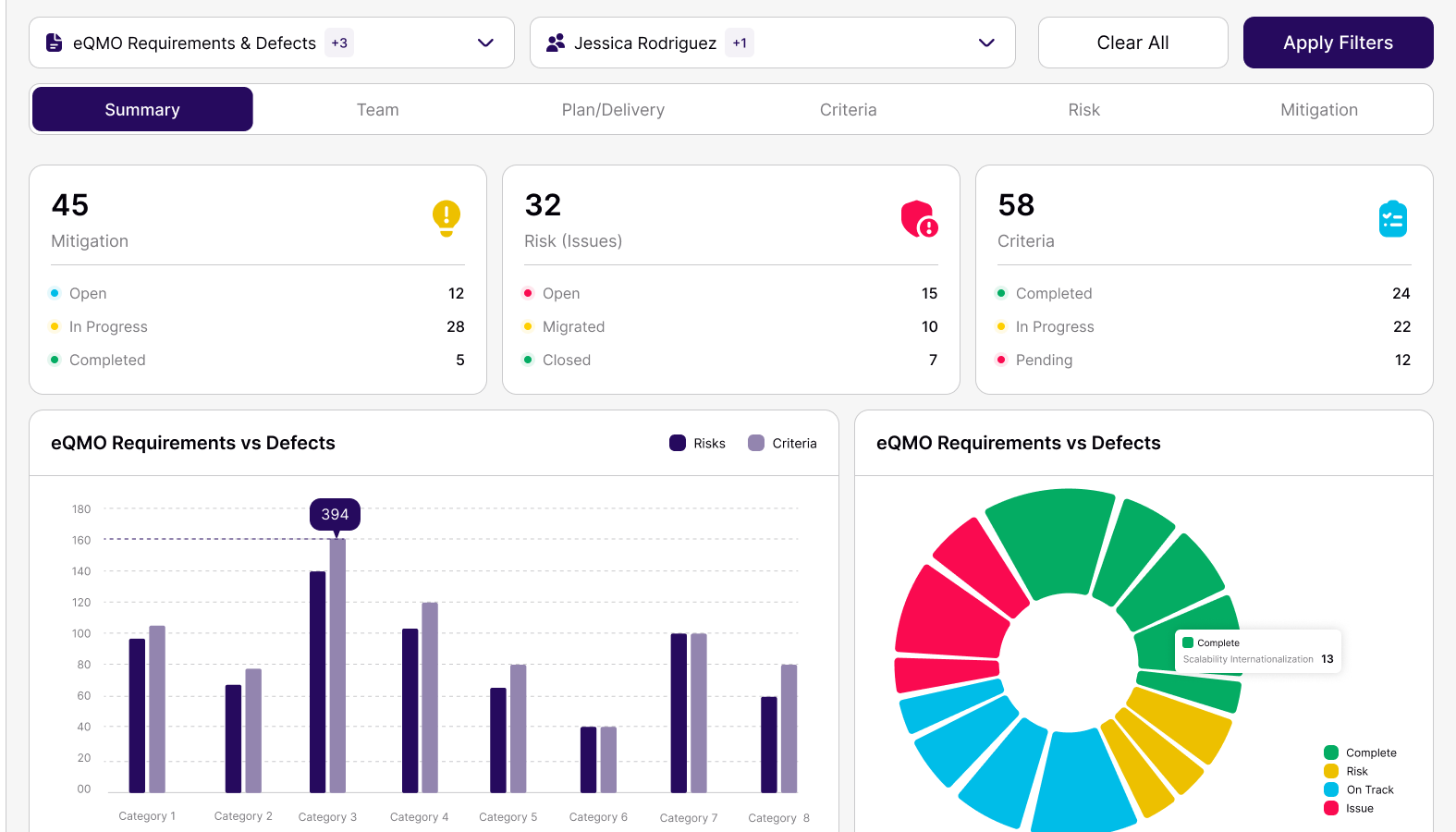
Project Overview and the Programme Dashboard draw KPI cards and charts from live records.
Capability 06 of 10
See the modulesIntegration capabilities
Email notifications and Stripe billing are built in. Connections to other tools are planned.
Capability 07 of 10
See the modulesMobile browser access
Runs in the browser on desktop, tablet and phone, with nothing to install.
Capability 08 of 10
See the modulesCriteria and templates
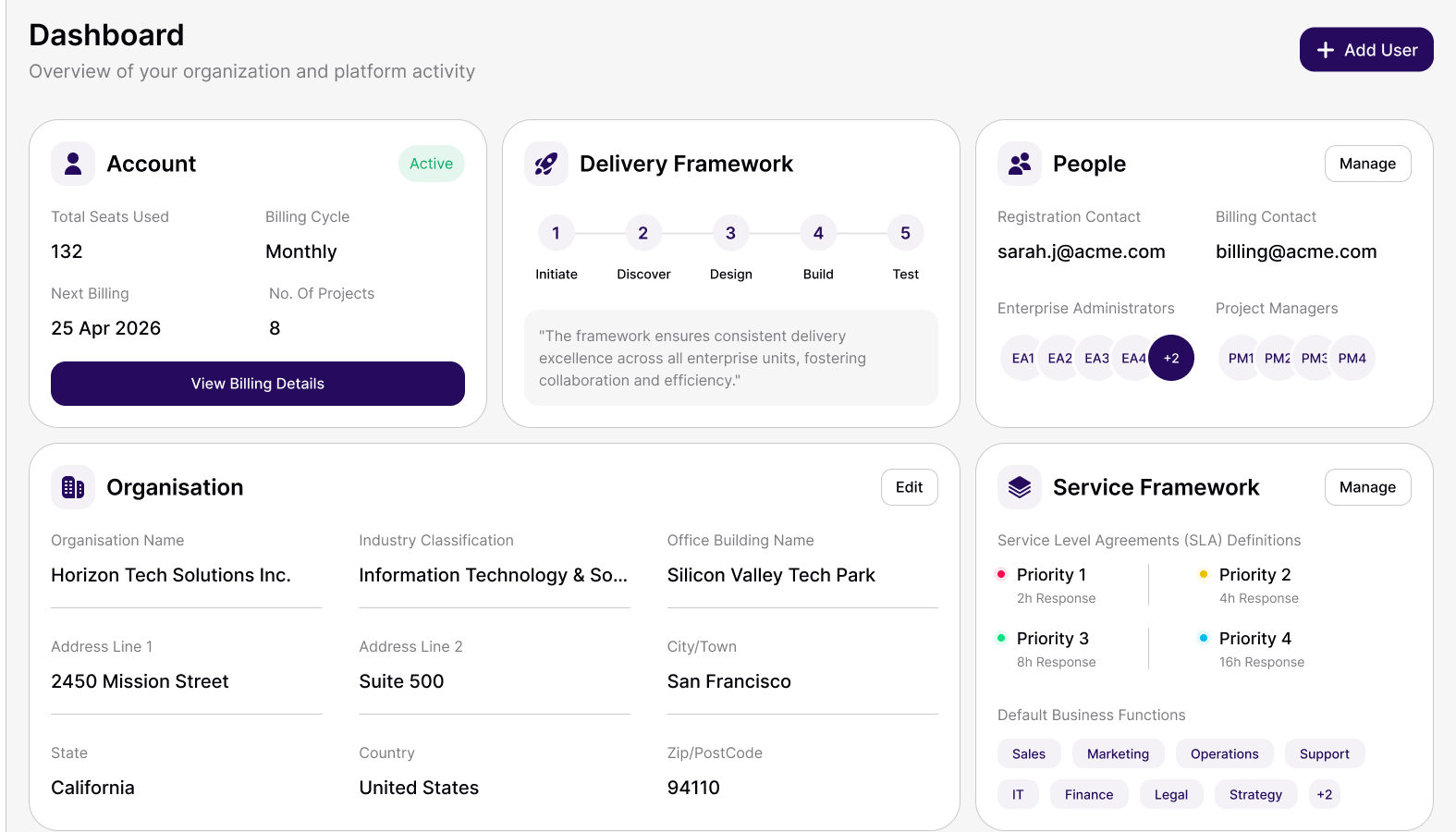
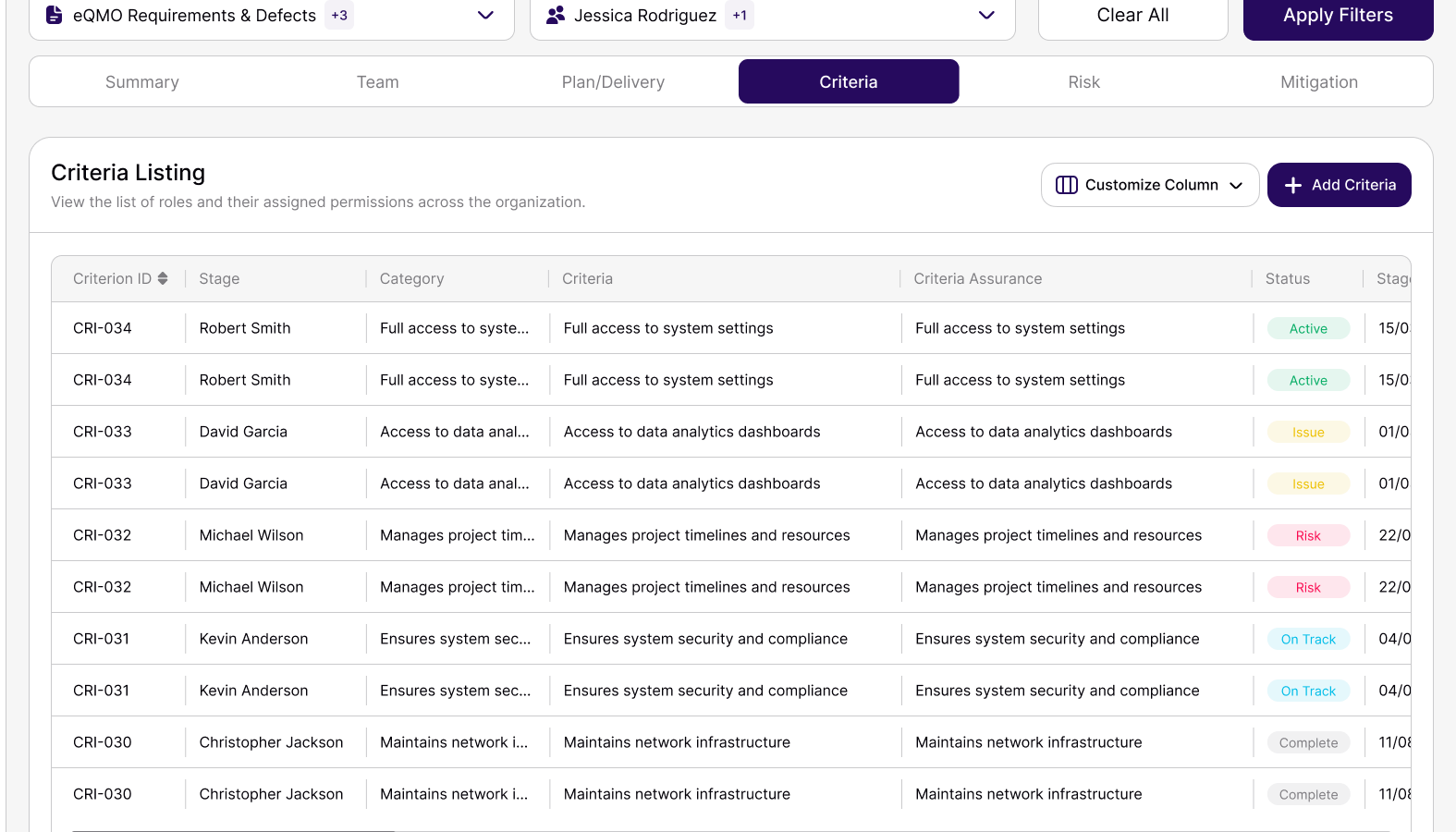
Admins maintain the master list of criteria, stage gates and document templates that every project draws on.
Capability 09 of 10
See the modulesPer-seat licensing and billing
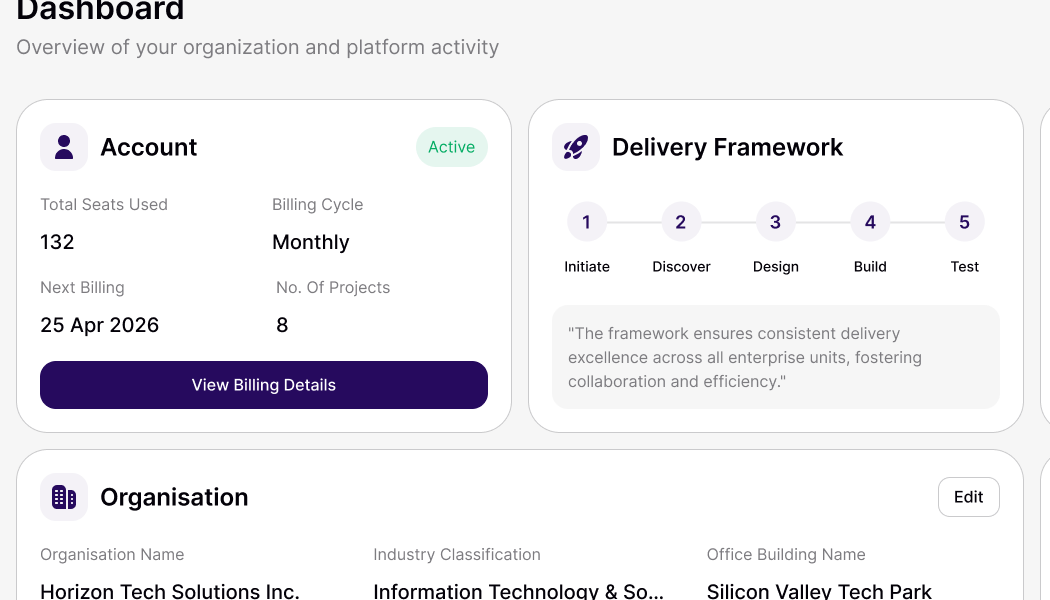
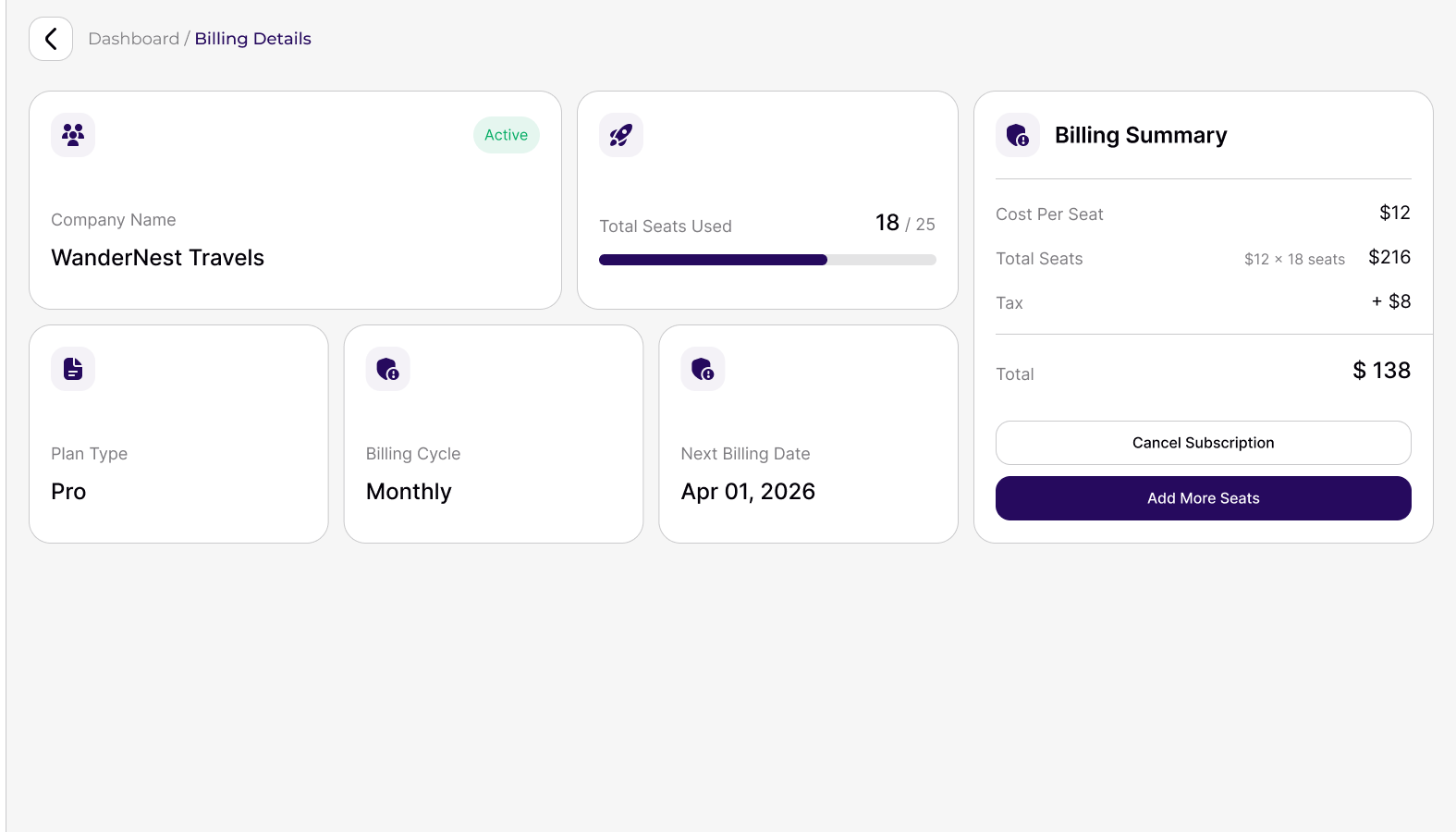
Admins see seats used, the billing cycle and the next billing date, and can add seats or cancel at any time.
Capability 10 of 10
See the modulesPlatform modules
Fourteen modules, one project record
Use the ones you need now and switch others on later. They all read and write the same data.
Every module is included in the 28-day free trial.
Plan
3 modules
Set up projects and programmes, and the requirements they have to meet.
-
Project and Programme Management
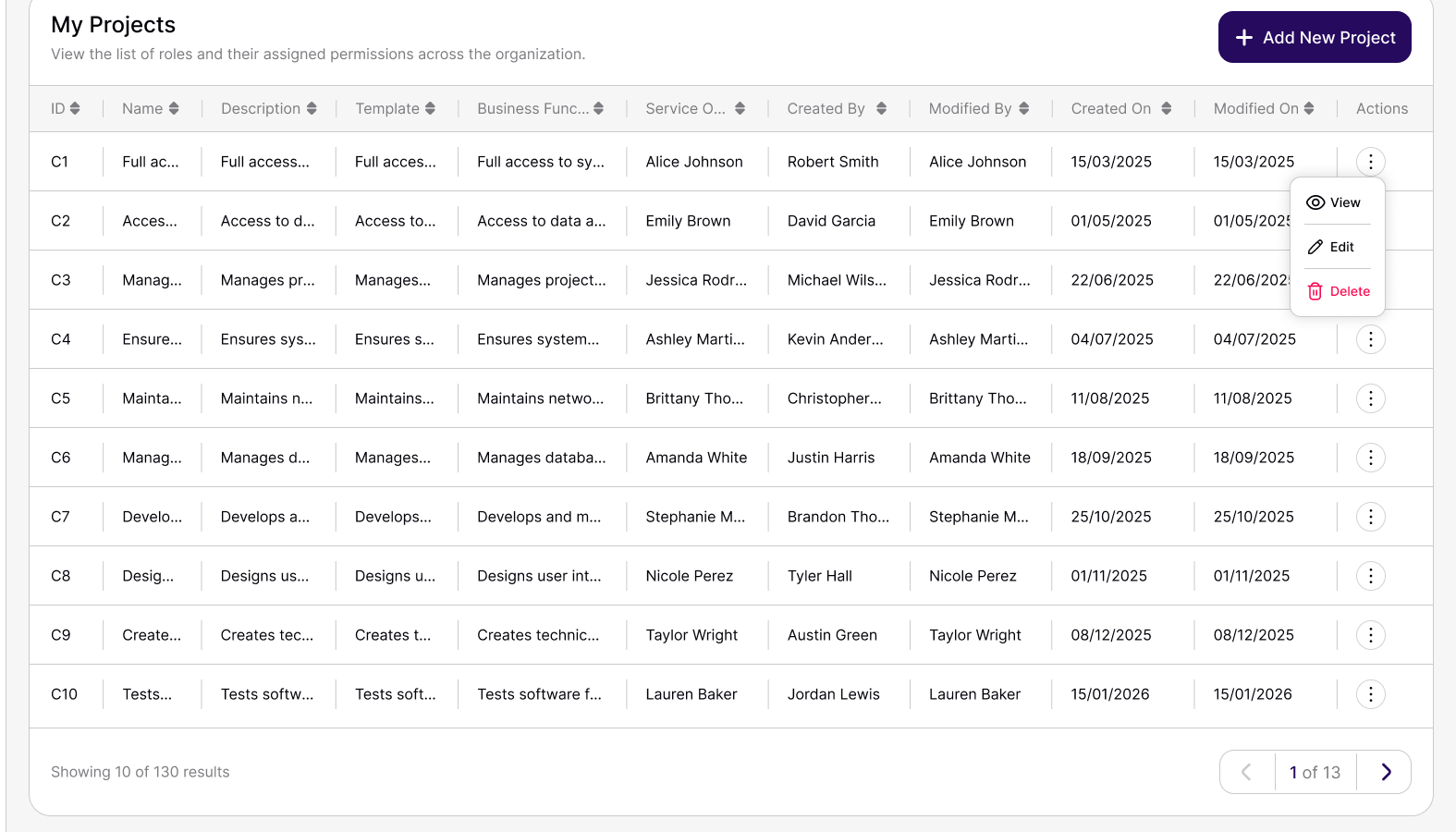
Create projects in a three-step wizard, then follow many of them together in the Programme Dashboard.
- Details, stage gates and templates, criteria mapping
- Business function, service owner and team per project
- Programme view filtered by project, user and stage gate
-
Requirements Management
Choose the criteria each project must meet from the master list your admin maintains.
- Criteria with category and assurance type
- Tracked by stage, status, owner and expected date
- Requirements vs defects trend
-
Non-Functional Requirement Templates
Start from a library of around 130 generic non-functional requirements and select the ones each project needs.
- Around 130 generic NFRs
- Selected per project
- Consistent wording across projects
Control
4 modules
Keep risks, issues, stage gates and obligations under control.
-
Risk, Issue, and Action Management
Raise risks and issues, then track the actions and mitigations that close them.
- Owner, category, raised and closed dates
- Actions with due dates and status
- Mitigations linked to risks and actions
-
Requirement–Risk/Issue–Action Triangulation
Every criterion is mapped to the risks that threaten it and the actions that address them.
- Criteria and risks mapped when a project is created
- Linked risk and action shown on every criterion
- Each record shows what it is linked to
-
ATP / Stage-Gate Management
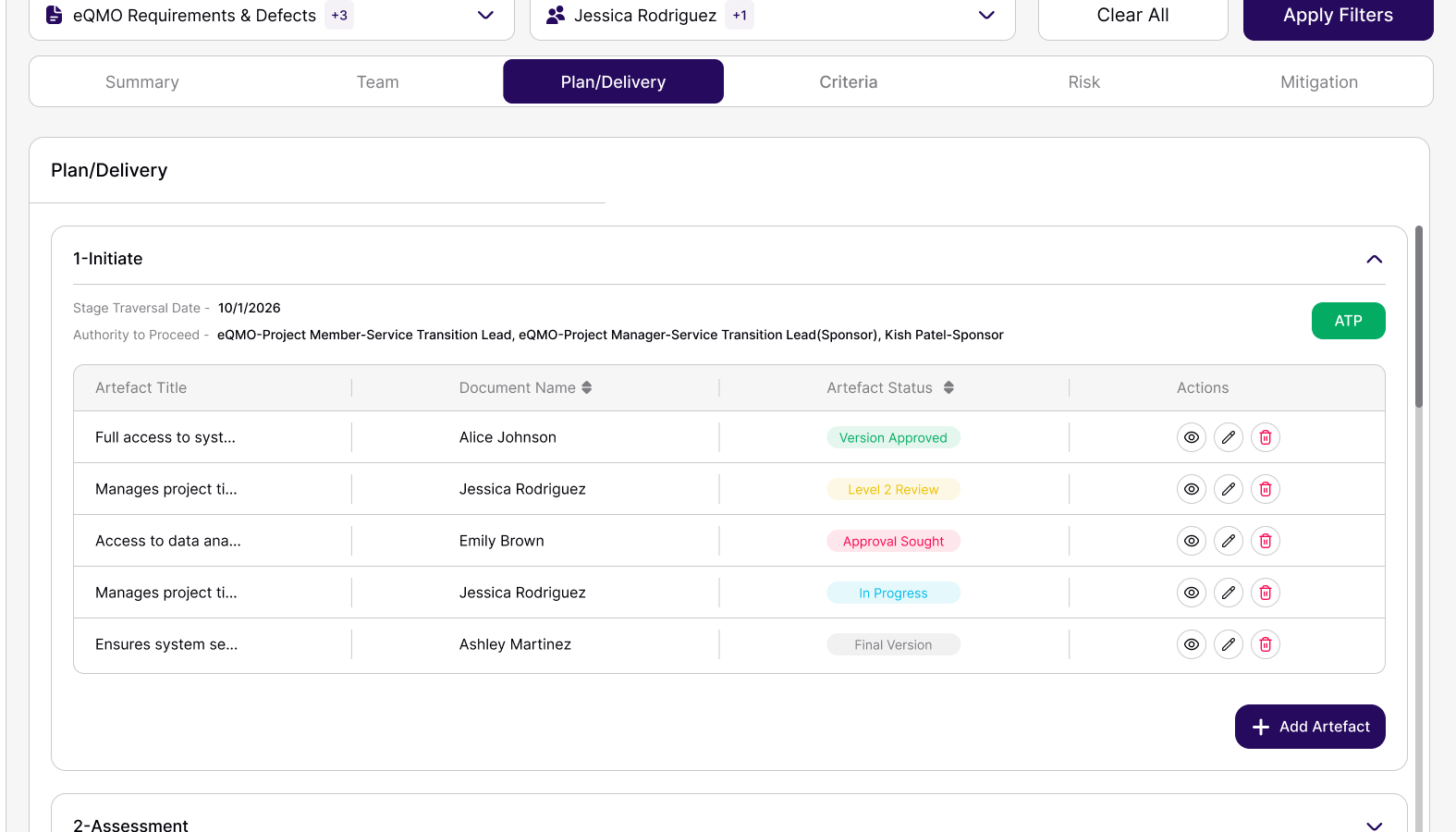
Take each project through the stage gates your admin defines, with an ATP at each gate.
- Stage gates configured once for the organisation
- Stage documents and PDF evidence per gate
- ATP alerts to the people involved
-
Compliance Management
Keep stage documents and evidence with the gate they belong to, so an audit starts from a complete record.
- Evidence held per stage gate
- Approval trail for each gate
- Records an auditor can follow
Deliver
5 modules
Run the day-to-day work: tasks, alerts, documents and assets.
-
My Day Calendar
Everything assigned to you across projects, sorted into Overdue, To do, Do later and Update pending.
- Table and calendar views
- Filter by project and user
- Due and target dates marked on the calendar
-
Alerts and Notifications
Hear about it when a risk, mitigation or criterion is added, a due date is near or an ATP is raised.
- Bell icon and pop-up notifications
- Alert list showing who raised it and why
- Newest alerts first
-
Task Management
Follow actions and criteria-related tasks with an owner, a due date and a status.
- Owners and due dates
- Status tracking
- Linked to risks and criteria
-
Document Co-Authoring and Templates
Write project documents together in the browser, starting from the Service Definition Template.
- Real-time co-editing within a project
- Version history and comments
- Template fields saved as structured data
-
Asset Tracking
Keep a register of the assets each project depends on.
- Asset register
- Ownership and location
- Linked to projects
Insight
2 modules
See where every project stands and report on it from live data.
-
Dashboard and KPI Monitoring
Project Overview shows one project at a glance: KPI cards, stage-gate and category charts, and status summaries, filtered by user.
- KPI cards for actions, risks and criteria
- Stage-gate bar chart and category pie chart
- Click a chart to open the records behind it
-
Reports and Analytics
Programme-level and project-level views of the same live data, ready for steering meetings.
- Programme vs project dashboards
- Filters for stage gate, status, category and dates
- Project closure summary PDF
Value stories
Nine everyday tasks, before and after eQMO
Each story has a short video and sets out how the task is done today, what eQMO does instead and the result to expect.

Value story 1 of 9
Project creation, assignment, and user invitations

Value story 2 of 9
NFR selection and requirement concatenation

Value story 3 of 9
Requirement, risk, issue, and action linking

Value story 4 of 9
My Day calendar and configurable alerts
Value story 5 of 9
ATP request, response, and approval workflow
Value story 6 of 9
Programme vs Project reporting

Value story 7 of 9
Project closure summary PDF

Value story 8 of 9
In-app document co-authoring

Value story 9 of 9
Improved audit readiness, productivity, reporting, and compliance
-
Project creation, assignment, and user invitations
- Project and Programme Management
- Alerts and Notifications
Before
New projects start with a week of emails to agree who owns what.
Spreadsheets for the plan, email threads for access, a shared drive for documents.
With eQMO
Create the project in a three-step wizard: details and team, stage gates and templates, then criteria mapping.
Result A governed project with named owners on day one.
-
NFR selection and requirement concatenation
- Non-Functional Requirement Templates
- Requirements Management
Before
Non-functional requirements are rewritten for every project and drift apart.
Copying paragraphs from the last project’s document.
With eQMO
Select from around 130 generic NFRs and combine them into the project’s requirement set.
Result Consistent requirements in minutes instead of days.
-
Requirement, risk, issue, and action linking
- Requirement–Risk/Issue–Action Triangulation
Before
Nobody can say which requirement a risk threatens or which action closes it.
Separate registers that are reconciled by hand before each review.
With eQMO
Map each criterion to its risks when the project is created; every record then shows its linked risk and action.
Result Every risk has an owner, an action and a reason to exist.
-
My Day calendar and configurable alerts
- My Day Calendar
- Alerts and Notifications
Before
People find out about an overdue action in the steering meeting.
Personal to-do lists and calendar reminders set by hand.
With eQMO
My Day sorts your work into Overdue, To do, Do later and Update pending; alerts arrive in the bell and as pop-ups.
Result Fewer overdue actions and no surprises at review.
-
ATP request, response, and approval workflow
- ATP / Stage-Gate Management
Before
Stage-gate approvals happen over email and the evidence is hard to find later.
A request document, a meeting, and a reply buried in an inbox.
With eQMO
Raise the ATP from the project; the people involved are alerted and the stage documents sit with the gate.
Result A clear approval trail for every gate.
-
Programme vs Project reporting
- Reports and Analytics
- Dashboard and KPI Monitoring
Before
Programme reports are stitched together from project reports each month.
Exports, pivot tables and slides.
With eQMO
Use Project Overview for one project and the Programme Dashboard across many, from the same live data.
Result Reports that are ready when the meeting starts.
-
Project closure summary PDF
- Reports and Analytics
Before
Closing a project means assembling its history from several systems.
A closure report written from scratch.
With eQMO
Generate a closure summary PDF from the project record.
Result A consistent closure record for every project.
-
In-app document co-authoring
- Document Co-Authoring and Templates
Before
Project documents live in attachments with names like “final_v7”.
Emailing documents around for comments.
With eQMO
Co-author the Service Definition Template in the browser, with version history and comments.
Result One current version, with its history.
-
Improved audit readiness, productivity, reporting, and compliance
- Compliance Management
- Reports and Analytics
Before
Audit preparation takes people away from delivery for weeks.
Collecting evidence after the fact.
With eQMO
Stage documents and evidence are kept with each gate as the work happens.
Result Audits start from a complete record.
FAQs
Questions about the platform
If yours is not here, ask us directly.
Do we need to install anything?
No. eQMO runs in the browser on desktop, tablet and phone. Your admin invites users by email.
Who can use eQMO?
Admins configure the organisation: roles, users, criteria, stage gates and templates. Project managers and team members work in projects. Business owners, service owners and delivery heads follow progress across projects in the Programme Dashboard.
What is a stage gate?
A checkpoint in your delivery framework, such as Initiate, Discover, Design, Build and Test. Your admin defines the gates and the documents and evidence each one needs; an ATP is raised at each gate.
What templates are included?
The Service Definition Template, co-authored in the browser with version history and comments. Admins can duplicate it and adjust the copy for their organisation.
Where do the requirements come from?
eQMO includes around 130 generic non-functional requirements, and your admin maintains a master list of criteria. Each project selects the ones it needs.
How are seats counted?
One seat per active user. A user without a seat stays on the user list but does not appear in projects and receives no emails.
Try the platform with your own project
The free trial includes every module, so you can see how they work together.